Workflow Blueprint
WhatsApp Quoting Agent for Local Service Businesses
Create a fast, practical WhatsApp-based quoting workflow that helps plumbers, HVAC teams, cleaners, and local service operators respond to “How much?” inquiries within minutes—even after hours—so fewer leads go cold and more jobs get booked.
Local Business AutomationDirect Answer
This workflow helps local service businesses automatically respond to WhatsApp quote requests 24/7 using a pricing-aware AI assistant, routing logic, and optional human approval for edge cases. It’s ideal for businesses that lose leads when they reply too slowly, especially when customers ask for fast pricing outside business hours. Instead of leaving inquiries unanswered, the system can capture job details, estimate a realistic quote range, and either send a guided response instantly or escalate to staff.
Workflow Logic / System Flow
Structured steps
Step 1
CustomAlert Team for Hot Leads
Notify staff when a lead is urgent, high-intent, or ready to book so someone can step in quickly if needed.
- Tool Hint
- Slack, email, WhatsApp internal group
- Estimated
- 5 min
Step 2
TriggerReceive WhatsApp Inquiry
Start the workflow when a new WhatsApp message arrives containing a quote request, service question, or pricing-related inquiry.
- Tool Hint
- WhatsApp Cloud API, Twilio WhatsApp, 360 dialog
- Estimated
- 5 min
Step 3
ProcessCapture Message Details
Store the incoming message text, sender number, timestamp, and any previous conversation context or customer history.
- Tool Hint
- n8n, Make, CRM, Airtable
- Estimated
- 8 min
Step 4
ProcessExtract Service Intent
Use AI to detect the service type, urgency, and job details such as location, property size, unit count, or repair category.
- Tool Hint
- OpenAI, Claude, structured JSON extraction
- Estimated
- 10 min
Step 5
ReviewCheck Data Completeness
Decide whether enough information exists to quote safely or whether the customer needs a follow-up question first.
- Tool Hint
- LLM classifier, IF/Else router
- Estimated
- 6 min
Step 6
ReviewAsk Clarifying Questions
If the request is incomplete, send a short WhatsApp follow-up asking only the minimum missing details needed for a safe estimate.
- Tool Hint
- WhatsApp API, prompt template, state memory
- Estimated
- 8 min
Step 7
ActionPull Pricing Rules
Query the approved pricing source using the detected service type and context such as zone, urgency, or package type.
- Tool Hint
- Google Sheets, Airtable, SQL, API lookup
- Estimated
- 8 min
Step 8
ProcessDraft Safe Quote Reply
Generate a human-friendly quote response using the approved pricing data, including what is included, caveats, and next-step CTA.
- Tool Hint
- OpenAI, Claude, templated response builder
- Estimated
- 8 min
Step 9
ProcessEvaluate Escalation Risk
Route unusual, high-value, low-confidence, or emergency requests to a human instead of auto-sending a final estimate.
- Tool Hint
- Confidence scoring, business rules, IF/Else
- Estimated
- 6 min
Step 10
ReviewHuman Review
Let a staff member quickly approve, edit, or replace the draft quote for risky or non-standard jobs.
- Tool Hint
- Slack, email, WhatsApp group, CRM task
- Estimated
- 10 min
Step 11
ActionSend WhatsApp Response
Deliver the estimate, clarifying question, or human-approved quote back to the customer in a natural, business-safe format.
- Tool Hint
- WhatsApp Cloud API, Twilio WhatsApp
- Estimated
- 5 min
Step 12
CustomLog Lead Record
Save the lead, detected service category, quote status, estimated range, and escalation result for follow-up and conversion tracking.
- Tool Hint
- HubSpot, Pipedrive, Zoho, Google Sheets
- Estimated
- 8 min
Implementation Matrix
Structured execution block
Table structure is intentionally designed as an upgradeable execution layer for future automation modules.
| Phase | Owner Layer | Output Artifact | Success Metric |
|---|---|---|---|
| Capture context | This workflow is built for local service business owners, operators, and small marketing agencies managing lead response for trades and home services. The ideal user is not trying to build a | Input brief + constraints | Inputs are complete and unambiguous |
| Run workflow logic | Workflow engine (planned stack layer) | Processed decision/output | Output follows the defined rules |
| Deliver action | Execution operator | Message/task delivered | Delivery reaches intended audience |
| QA + optimize | Human reviewer | Review notes + revision queue | Failure points reduced over time |
Operator-Ready Recommendations
Recommended Tools for This Workflow (Coming Soon)
This workflow is prepared for a recommended tool stack layer, but the curated tool picks have not been published yet.
Stack Slot 1
Workflow Engine
Orchestration layer for triggers, branching logic, and operational controls.
Stack Slot 2
AI Brain
Reasoning layer for summarization, drafting, and decision support modules.
Stack Slot 3
Messaging / Delivery Layer
Distribution channel for tasks, notifications, and handoff into team workflows.
Workflow Mid Content
Placeholder framework only. This reserved block can be swapped to live AdSense markup later.
Reserved after the recommended tool stack so future ads can appear in a high-intent zone without interrupting the hero or trust-critical opening screen.
Operator Prompts
Starter PromptCopy-paste starter prompt scaffold derived from this blueprint for fast operator execution.
You are the implementation operator for this workflow blueprint.
Workflow: WhatsApp Quoting Agent for Local Service Businesses
Business goal: The business goal is simple: reduce lead leakage, increase response speed, and turn WhatsApp inquiries into booked jobs or qualified follow-ups. Instead of forcing staff to manually answer repetitive pricing questions all day, this workflow gives customer
Audience: This workflow is built for local service business owners, operators, and small marketing agencies managing lead response for trades and home services. The ideal user is not trying to build a
Difficulty target: intermediate

Direct answer context:
This workflow helps local service businesses automatically respond to WhatsApp quote requests 24/7 using a pricing-aware AI assistant, routing logic, and optional human approval for edge cases. It’s ideal for businesses that lose leads when they reply too slowly, especially when customers ask for fast pricing outside business hours. Instead of leaving inquiries unanswered, the system can capture job details, est...

Return:
1) Step-by-step implementation plan
2) Failure points and mitigations
3) QA checklist before launch
4) Suggested optimization loop for next iteration
Detailed Blueprint Body
Use Case Summary
Best for plumbers, electricians, HVAC companies, cleaners, pest control teams, and other local service providers who get frequent WhatsApp inquiries Solves the “slow reply = lost lead” problem when prospects ask pricing questions after hours or during busy jobs Likely uses WhatsApp API, an automation platform (n8n / Make), a pricing database (Google Sheets / Airtable / SQL), and an LLM for structured quote drafting Creates a fast first response with estimated pricing, follow-up questions, and lead capture instead of silence Human review is recommended for unusual jobs, high-ticket services, emergency requests, or incomplete customer inputs Can also log the lead into a CRM or spreadsheet so the team can follow up the next morning if needed
Introduction
Why a 24/7 WhatsApp quoting agent matters for local businesses
For most local service businesses, the first quote request is the moment that decides whether a lead becomes a customer—or disappears. A homeowner sends a quick WhatsApp message like “How much to clean a 2BHK?” or “What do you charge for AC servicing?” If they don’t get a reply within a few minutes, they usually message the next provider.
This is where small teams lose money without noticing it. The business may be great at the actual work, but the response layer breaks down. Staff are on jobs, calls get missed, and after-hours inquiries sit unanswered until the next morning.
Fast response often beats perfect response in local services. A helpful estimate now is usually better than a perfect quote tomorrow.
This workflow gives you a practical middle ground. It does not pretend AI should replace your estimator or dispatch manager. Instead, it creates a smart first-response system inside WhatsApp that can:
- capture the customer’s job details,
- check a pricing table or service matrix,
- generate a safe estimate or price range,
- ask follow-up questions when details are missing, and
- escalate to a human when the request is too complex.
That means fewer silent inboxes, fewer lost leads, and a more professional experience—even when the team is offline.
Why this matters more in 2026
WhatsApp remains one of the most natural lead channels for local businesses because customers already use it like texting. With stronger API workflows, richer automation, and better AI function-calling patterns, it is now realistic to connect WhatsApp conversations to live pricing sources such as Google Sheets, Airtable, or a small SQL table—without building an enterprise stack.
The result is a workflow that is practical, visualizable, and genuinely useful before you spend money on full production automation.
Implementation Guide
How the workflow works in plain English
The workflow starts the moment a customer sends a WhatsApp message asking for a price, availability, or service estimate. Instead of waiting for a staff member to manually reply, the automation captures the message, extracts the job details, checks your pricing logic, and prepares a helpful response.
Step 1: Capture the incoming quote request
When a new WhatsApp message arrives, the workflow reads the message body, sender details, timestamp, and conversation context. If the customer has contacted you before, it can also pull prior lead history or previous job types from your CRM or spreadsheet.
Step 2: Extract the service intent and job details
The AI then identifies what the customer is actually asking for. Is it AC repair, deep cleaning, drain unclogging, pest treatment, or a generic “how much?” message? It also tries to extract key details such as property size, location, urgency, quantity, or equipment type.
If important details are missing, the system should not guess aggressively. Instead, it asks a short follow-up question like:
“Sure — I can help with a quick estimate. Is this for a 1BHK, 2BHK, or 3BHK, and is it a one-time deep clean or regular cleaning?”
Step 3: Check pricing rules or service tables
Once the request is structured, the workflow checks a pricing source. For small teams, this can be a Google Sheet or Airtable base with service categories, minimum callout fees, zone surcharges, weekend pricing, and upsells. For more advanced setups, a simple SQL table works well.
This is where the workflow becomes more trustworthy than a generic chatbot. It is not inventing prices. It is referencing your real pricing logic.
Step 4: Apply quote logic and safety rules
Before sending anything to the customer, the workflow applies a few practical rules:
- If the service is standard and the data is complete, send an instant estimate or price range
- If the job is complex, unusual, or high-ticket, escalate to human review
- If the customer mentions “urgent,” “leak,” “emergency,” or similar, prioritize routing and add a faster response path
- If the business uses area-based pricing, confirm the customer’s location before quoting
This prevents the common mistake of sounding confident when the system actually lacks enough context.
Step 5: Send a human-sounding WhatsApp reply
The AI drafts a short, friendly, business-safe response. A good reply should not feel robotic or over-automated. It should feel like a competent office manager who knows the price structure.
For example, the output might include:
- a rough price or range,
- what is included,
- what might change the final cost,
- an optional upsell or booking CTA, and
- a note that final confirmation happens after inspection if needed.
Step 6: Escalate when confidence is low
Not every quote should be automated. If the AI confidence is low, the customer’s message is vague, or the requested service falls outside normal pricing rules, the workflow should notify a human. That could be a staff WhatsApp group, email alert, Slack message, or task assignment in a CRM.
Operator tip: A safe “estimated starting from” message usually performs better than pretending the bot can finalize every custom job.
Step 7: Log the lead and next action
Every conversation should be logged. At minimum, store the customer name/number, service category, quote status, estimated range, and whether human review was required. This makes it easier to track conversion later and identify where your quoting logic needs improvement.
Where AI helps the most
- Turning messy WhatsApp text into structured service details
- Recognizing intent across informal customer language
- Drafting consistent quote replies without sounding stiff
- Choosing when to ask a clarifying question instead of forcing a guess
- Classifying whether a request is safe to auto-quote or should be escalated
Where human review is still smart
- Emergency jobs
- Commercial or large property requests
- Jobs with hidden variables (repairs, inspections, custom installations)
- Complaints or existing-customer issues mixed into the chat
- Requests involving discounts, negotiation, or service exceptions
Expected outcomes
When implemented well, this workflow usually improves response speed dramatically, reduces missed after-hours leads, and creates a more professional first touch. It also reduces repetitive admin work for owners who are constantly answering the same quote questions manually.
The biggest win is not “full automation.” The biggest win is that every serious lead gets a fast, helpful first response instead of silence.
Practical tool choices
You can build a lean version using WhatsApp Cloud API, n8n or Make, Google Sheets or Airtable for pricing, and OpenAI or Claude for message understanding and quote drafting. If you already use HubSpot, Pipedrive, Zoho, or even a simple sheet-based lead tracker, the workflow can push lead data there as well.
Common mistake: Do not let the model generate prices without a real pricing table, service matrix, or approved range logic. That is where trust breaks.
Conclusion
Final takeaway
A 24/7 WhatsApp quoting agent is not about replacing your team. It is about making sure warm leads never hit a dead end just because someone was busy, offline, or out on a job. For local service businesses, that alone can recover a meaningful amount of lost revenue.
The safest and smartest approach is to prototype this workflow first: map the trigger, define your pricing rules, test your follow-up questions, and identify where human approval should stay in the loop. That is exactly the kind of workflow that works well inside the AgentsCanva Demo Builder before you commit to a full build.
Start with a simple version, use approved price ranges, and test it on real-world edge cases before paying for deeper automation. A clean, trustworthy first-response system will usually outperform an overcomplicated “fully autonomous” setup.
In short: faster replies, fewer missed leads, safer quoting, and a much better customer experience—without pretending AI should do everything.
Trust & Review Layer
- Last verified
- August 13, 2026
- Non-coder fit
- Mixed fit
- Setup friction
- Moderate
- Data/compliance caution
- Review data handling and access controls before deployment.
Common Failure Points
- Unclear trigger definitions create inconsistent workflow entry states.
- Missing QA checkpoint leads to output drift over time.
- No ownership assignment causes implementation stalls after pilot launch.
Human Review / Implementation Notes (Template Slot)
Use this section to log field notes, friction points, and revision priorities after each live run. This block is intentionally structured for future review workflows.
Publisher Identity
Published & Reviewed by AgentsCanva Editorial
This blueprint is curated for practical implementation quality. Our editorial layer emphasizes real execution context, trust framing, and periodic re-verification as tools evolve.
ROI Lab (Coming Soon)
Future ModuleThis reserved space will host savings, time-to-value, and effort comparison tools for implementation planning.
Discovery Engine
Keep Exploring This Topic
Continue deeper into related blueprints and editorial signals chosen with simple published-only matching and recent fallback logic.
Related Workflow Blueprints
Nearby implementation patterns from the workflow library.
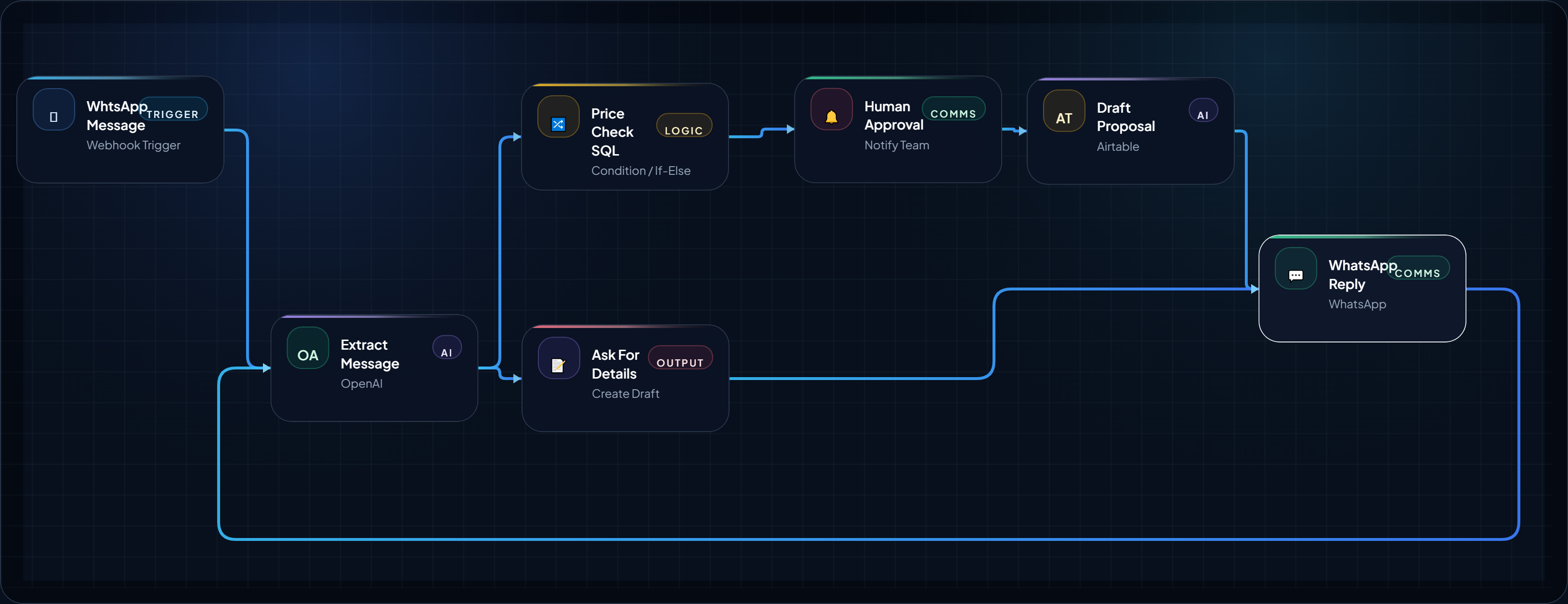
WhtsApp Message to Proposal in 5 Minutes: FREE Money Making AI Agent for Agencies
Turn your “How much?” price query on WhtsApp into cash generating lead by automatic pricing check, proposal draft, and follow-up task in o...
August 14, 2026
Open BlueprintBlueprint Card
ai-medical-record-summarization-agent
AI Medical Record Summarization Agent
Organize scattered patient records into a concise, easy to handle document which can help doctors prepare faster before a consultation. This i...
August 21, 2026
Open Blueprint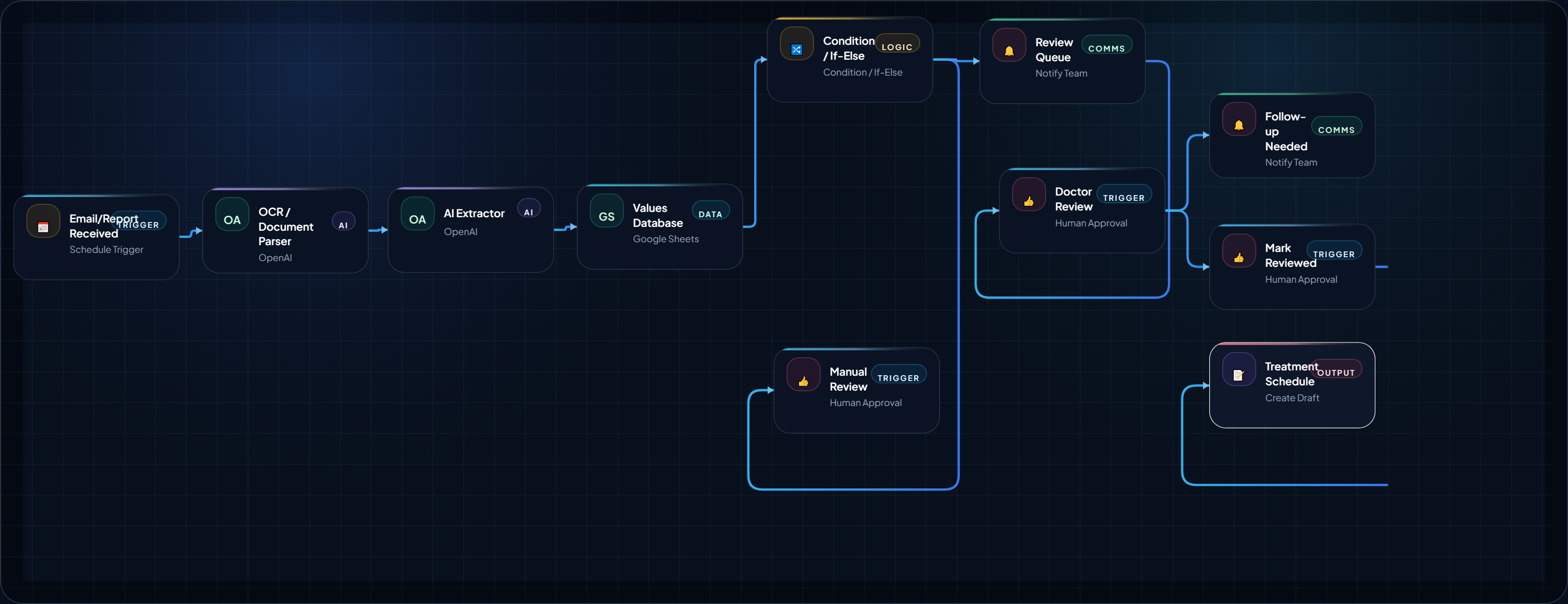
How to Build a Medical Lab Report Follow-Up AI Agent
This AI Agent is extremely useful for small scale hospitals and clinics. Analyze the medical report and organize it into a structured review ,...
August 18, 2026
Open BlueprintRelated Analysis & Signals
Editorial context that expands the strategy around this blueprint.
Workflow Closing Placement
Placeholder framework only. This reserved block can be swapped to live AdSense markup later.
Reserved before the final next-step CTA so the lower page can support monetization without breaking the main implementation flow.
What This Blueprint Proves / Next Step
You now have an execution-ready structure with logic, trust framing, and implementation scaffolding. Next, choose where to expand.