Workflow Blueprint
WhtsApp Message to Proposal in 5 Minutes: FREE Money Making AI Agent for Agencies
Turn your “How much?” price query on WhtsApp into cash generating lead by automatic pricing check, proposal draft, and follow-up task in only few minutes — and supervise everything before any reply goes to the customer.
Local Business AutomationDirect Answer
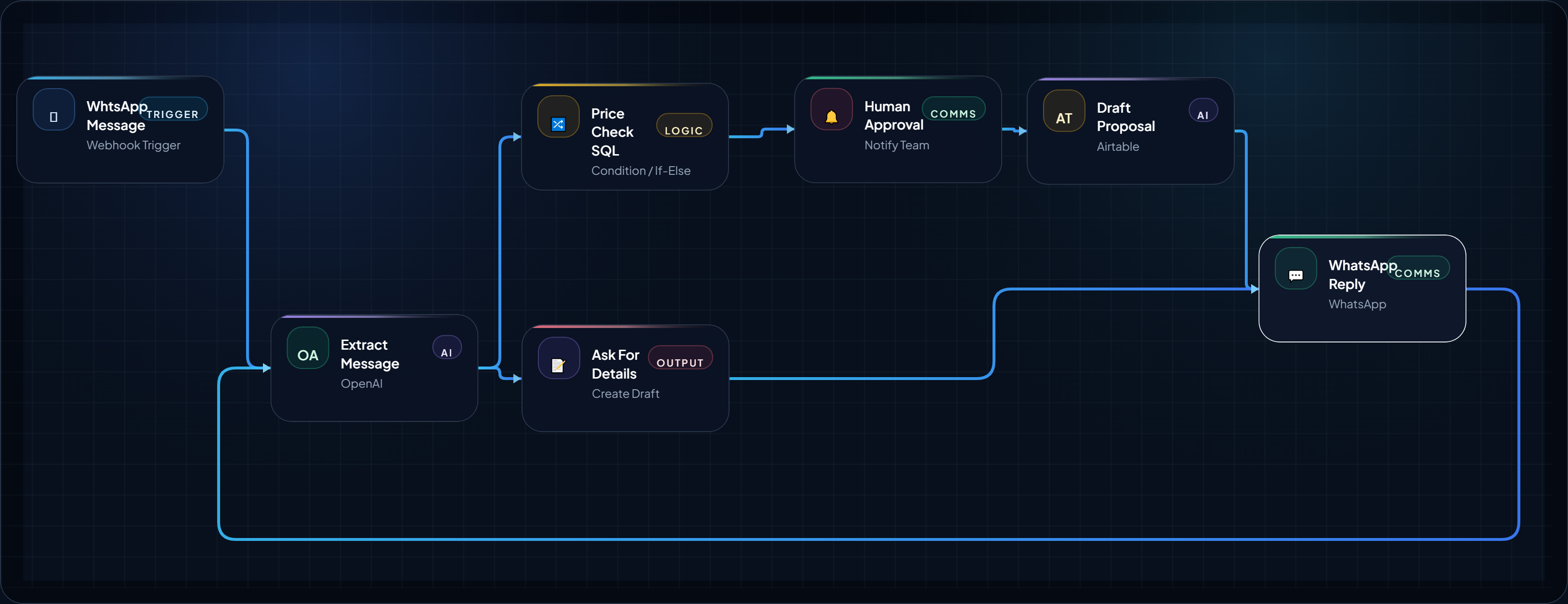
This AI agent helps agencies and local service businesses reply to price inquiries quickly without manually copying customer details between WhatsApp, pricing sheets, AI tools, and proposal documents. When you receive a new price query, the job information is studied, pricing is checked against your internal database, and a proposal is made for human approval before it is sent. All this happens in less than 5 minutes depending upon quality of data received. If the data is received on WhtsApp through your contact or query form on a website or app or Google Form, this AI Agent can perform the task even faster with this structured data.
Implementation Proof Layer
Visual Walkthrough
These visuals show what the workflow looks like in practice: system structure, operator-facing steps, and proof-oriented reference images that make implementation easier to trust.
Step Screens / Operator Views
Frame-by-frame visuals that show how the workflow is configured or executed during implementation.
Frame 01
Step Screenshot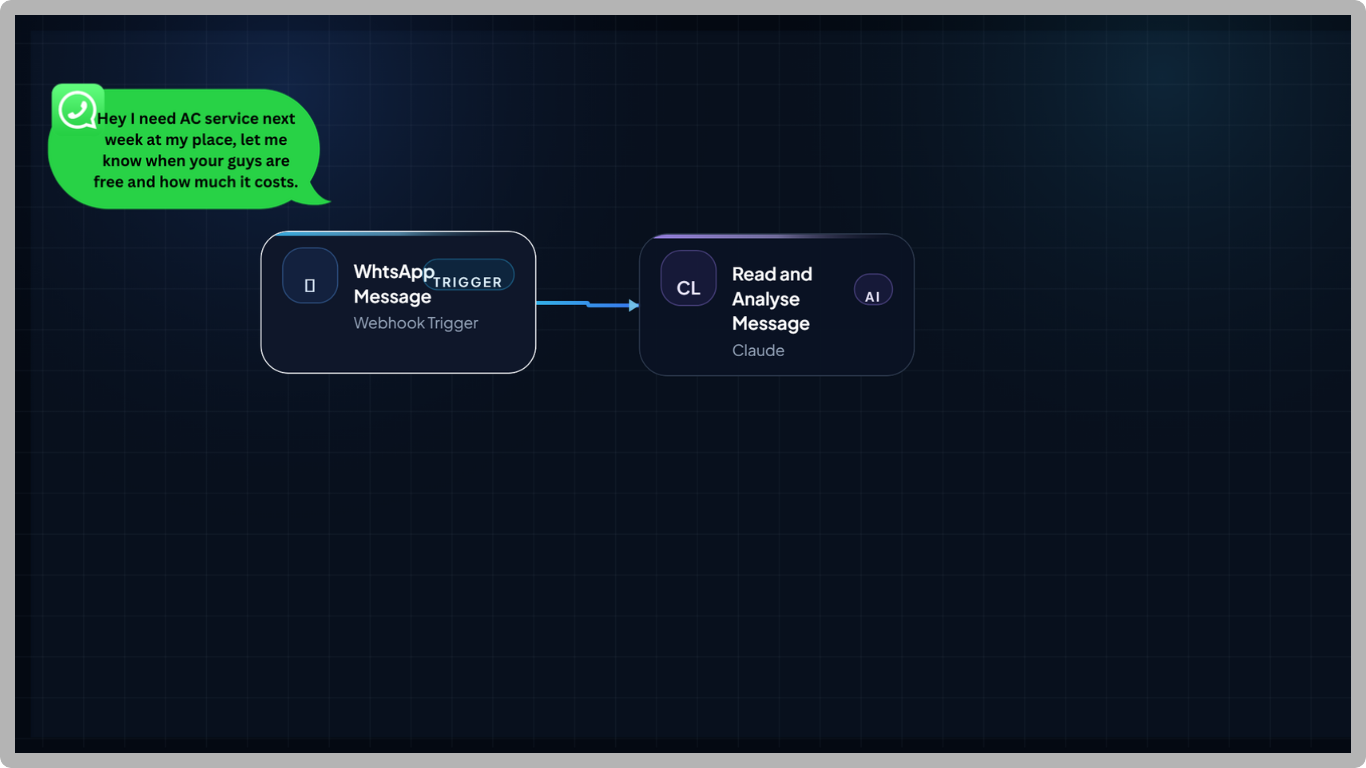
Frame 02
Step Screenshot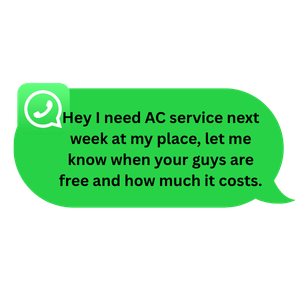
Workflow Logic / System Flow
Structured steps
Step 1
TriggerNew WhatsApp Quote
Receive a new customer inquiry asking for a price, service estimate, or availability.
- Tool Hint
- WhatsApp Business Platform, WhatsApp provider, webhook
- Estimated
- 1 min
Step 2
ReviewRead Customer Message
Save the new message, customer information, time, conversation context, and any available contact information.
- Tool Hint
- Webhook, CRM, database, Google Form
- Estimated
- 1 min
Step 3
ProcessExtract Job Information
Convert the customer's message into structured service, equipment, location, timing, and requirement fields.
- Tool Hint
- OpenAI, Claude, Deepseek or any AI API
- Estimated
- 1 min
Step 4
ProcessCheck Pricing
Once the service is identified. Match the service with a price list which might a local spreadsheet or Google sheet or even a SQL database. This step is very important and has to be implemented carefully .
- Tool Hint
- SQL database, Airtable, Google Sheets, MS Excel
- Estimated
- 1 min
Step 5
ReviewCheck Quote Safety
Analyze the information and decide whether the request has enough details and can be subjected to automated price matching or quoting.
- Tool Hint
- AI classifier, rules engine, IF/Else
- Estimated
- 1 min
Step 6
ActionSafe to Auto-Quote?
Send straightforward requests toward proposal creation and send uncertain, unusual, or high-risk requests to human review.
- Tool Hint
- n8n, Make, AgentsCanva Demo Builder
- Estimated
- 1 min
Step 7
ActionPrepare Proposal
Generate a concise quote or proposal using only the extracted customer information and approved pricing data.
- Tool Hint
- OpenAI, Claude, proposal template
- Estimated
- 1 min
Step 8
ActionApprove Quote
Let an owner, salesperson, or designated reviewer verify the price, assumptions, scope, and customer-facing message.
- Tool Hint
- Slack, email, approval node, CRM
- Estimated
- 3 min
Step 9
ActionWhatsApp Reply
Send the approved response back to the customer through the configured business messaging channel.
- Tool Hint
- WhatsApp Business Platform, messaging provider
- Estimated
- 1 min
Step 10
ActionCRM Update
Record the inquiry, extracted job details, quote status, response, and next follow-up action.
- Tool Hint
- HubSpot, Airtable, Google Sheets, CRM
- Estimated
- 1 min
Implementation Matrix
Structured execution block
Table structure is intentionally designed as an upgradeable execution layer for future automation modules.
| Phase | Owner Layer | Output Artifact | Success Metric |
|---|---|---|---|
| Capture context | This AI agent workflow is useful for various business service providers and marketing agencies who assist small business in their locality. It is designed for small teams that cannot afford | Input brief + constraints | Inputs are complete and unambiguous |
| Run workflow logic | Workflow engine (planned stack layer) | Processed decision/output | Output follows the defined rules |
| Deliver action | Execution operator | Message/task delivered | Delivery reaches intended audience |
| QA + optimize | Human reviewer | Review notes + revision queue | Failure points reduced over time |
Operator-Ready Recommendations
Recommended Tools for This Workflow (Coming Soon)
This workflow is prepared for a recommended tool stack layer, but the curated tool picks have not been published yet.
Stack Slot 1
Workflow Engine
Orchestration layer for triggers, branching logic, and operational controls.
Stack Slot 2
AI Brain
Reasoning layer for summarization, drafting, and decision support modules.
Stack Slot 3
Messaging / Delivery Layer
Distribution channel for tasks, notifications, and handoff into team workflows.
Workflow Mid Content
Placeholder framework only. This reserved block can be swapped to live AdSense markup later.
Reserved after the recommended tool stack so future ads can appear in a high-intent zone without interrupting the hero or trust-critical opening screen.
Operator Prompts
Use these reusable prompt blocks to guide implementation, QA, handoff, or operator execution.
Extract Job Details
operator
You are extracting structured information from a customer inquiry for a local service business.
Read the customer's message carefully.
Extract only information that is actually present.
Return:
•	customer_name
•	service_requested
•	equipment_or_asset
•	problem_description
•	location
•	preferred_date
•	preferred_time
•	urgency
•	quantity
•	budget_mentioned
•	important_constraints
•	missing_information
•	customer_question
If a value is not known, return null.
Do not guess the service, price, location, equipment, or customer requirements.
Separate facts stated by the customer from reasonable questions that still need to be answered.
Use this immediately after receiving the WhatsApp message. Connect the output to the pricing lookup and classification steps.
Pricing Calculation
system
You are assisting a local service business with quote preparation.
The pricing information supplied to you comes from the business's approved pricing source.
Never invent a price.
Use only the supplied pricing data and rules.
If the requested service clearly matches an approved pricing rule, identify the applicable price or price range.
If the information is insufficient, say what is missing.
If the service is not covered by the supplied pricing data, mark it as requiring human review.
Never add an unapproved discount, fee, tax, travel charge, or service.
Keep this prompt stable. The pricing data should come from the business's database or approved table rather than being embedded permanently in the prompt.
Quote Safety Check
operator
Review the extracted customer information and pricing result.
Classify the request as exactly one of:
SAFE_TO_PREPARE
NEEDS_HUMAN_REVIEW
MISSING_INFORMATION
OUTSIDE_PRICING_RULES
Use NEEDS_HUMAN_REVIEW when:
•	the job is unusual
•	the price is outside approved rules
•	the customer requests a special discount
•	professional judgment is required
•	the information is ambiguous
•	the requested service is not covered
•	the customer appears to be disputing an existing quote
Do not make the classification based on what would be commercially convenient.
Prioritize accuracy and the business's approved rules.
Return a short reason for the classification.
This controls the main branch in the workflow. Treat the classifier as a routing mechanism, not as a pricing authority.
Draft Customer Quote
system
Create a concise customer-facing quote based only on the approved information provided below.
Include:
1.	A polite greeting.
2.	A short summary of the requested service.
3.	The approved price or price range.
4.	Any important assumptions.
5.	The next step the customer should take.
Do not invent details.
Do not promise availability unless availability has been explicitly provided.
Do not add discounts or extra charges.
If an important detail is missing, do not hide that fact.
Keep the tone natural, professional, and suitable for a local service business communicating through WhatsApp.
Feed this prompt only after the pricing and safety checks have passed. Keep the output short enough for a messaging conversation.
Human Review Summary
user
Prepare a short internal review summary for the person approving this quote.
Show:
•	Customer request
•	Extracted job details
•	Pricing source/result
•	Important assumptions
•	Missing information
•	Reason this quote was routed for review
•	Recommended next action
Do not rewrite the customer message unless necessary.
Do not invent facts.
Make the summary easy to review in less than 30 seconds.
Use this branch for ambiguous, expensive, unusual, or exception-based inquiries. It should help a human make the decision quickly rather than forcing them to reread the entire conversation.
Detailed Blueprint Body
Use Case Summary
Who can use this ? : This AI agent will have huge usability by marketing agencies who manage leads for their small clients like plumbers, , HVAC service providers, domestic cleaning services, electricians, landscapers, contractors, and other small local service businesses. • Issues Addressed ?: Most of the small business could not encash their routine price queries. A customer asks “How much?” on WhatsApp, but the business takes too long to understand the job, check pricing, prepare a response, and follow up. • Likely tools: This workflow will introduce you to how to make WhatsApp Business Platform, an automation platform such as n8n or Make, an AI model, a pricing database or approved spreadsheet, proposal generation, and a CRM or lead log. • Outcome: A messy or general customer message becomes a structured job information, a professional price quotation, and a ready-to-review proposal. • Human review: Each proposal is approved by you or your supervisor. No message is sent to customer without a human review.
Introduction
The Five-Minute Problem Behind Lost Local-Service Leads
A customer sends a simple WhatsApp message: “How much for AC service?”
This query may look very easy and basic to reply. But in reality , the service provider needs more information like what type of AC it is, in which locality the service is needed , how far it is , look up the correct price as per AC make and model, decide whether additional charges apply, prepare a quote, and remember to follow up if the customer does not respond.
For a small business, those extra steps can easily turn a two-minute inquiry into a 20-minute administrative task. And even sometimes the service provider forget to reply within time period and lose businesses. This is a reality and not a hypothetical situation.
That is where an agentic workflow can help. Our Demo builder will help you to draft entire AI Agent workflow on a canvas before using real AI Agent builders like n8n, make.com etc.
The goal is not to let AI blindly send price list or a quotation to customers. A vague or generic reply to a new customer can lead to loss of potential business opportunity. The goal is to let AI prepare the work quickly while the business keeps control over pricing, exceptions, and the final customer response. This can help services ensure that at least each query is timely handled . The chances of getting business becomes higher with this AI Agent.
What are the benefits of this workflow?
- A simple WhatsApp inquiry can become a structured lead.
- AI extracts the job details from natural language.
- The workflow checks an approved pricing from a sheet or database .
- Simple, low-risk requests can move quickly toward a quote.
- Ambiguous or unusual requests are sent for human review.
- A proposal or quote response is prepared instead of being written from scratch.
- The conversation is logged for follow-up and closing the deals for future business.
Meta's Business Agent Platform announced at Conversations 2026 has significantly expanded how businesses can connect AI agents with external business systems and approved data sources. Instead of using a simple and old chatbots the business should use the power of AI Agents. These agents can minimize the cost of implementation and improve productivity . These AI Agents can be trained to handle simple, messy and vague WhtsApp messages into a highly productive business conversation.
Editor's Note: While Meta Business Agent provides the infrastructure for connecting AI with business systems, real-time pricing lookups, proposal generation, and approval workflows are typically implemented using automation platforms such as n8n, Make, Zapier, or custom APIs. The exact capabilities depend on how your business systems are integrated. Our Demo Builder gives you the power to prepare the entire workflow prototype here without any cost. You can practice here and then implement on the above platforms.
Implementation Guide
How the Lead-to-Proposal Workflow Works
This AI Agent workflow will get initiated whenever there is a new price enquiry on WhtsApp. Instead of you or your managing spending time on this, the agent will be in action immediately. There will be no delay or skipping of any lead . And that’s the magic of this AI Agent.
1. Capture the New WhatsApp Inquiry
It will retrieve important info like where, how many units and which date service or product is required . Customer name, phone and email etc. will be saved into your local sheet or database, as per your design.
https://agentscanva.com/uploads/workflows/2/20260815125012_6be6dbab333753f6.png
At this point, nothing should be quoted automatically. The first job is simply to read the inquiry and retrieve the info.
2. Extract the Actual Job Details
A customer might write:
“Hi, my 1.5 ton split AC isn't cooling properly. What would you charge to check it tomorrow?”
The AI should turn that message into structured information such as:
- Service requested
- Equipment type
- Approximate size or model, if provided
- Problem described
- Preferred date
- Location, if provided
- Customer contact details
- Missing information that may affect pricing
This is where the workflow becomes more useful than a simple chatbot. The AI is not merely answering the customer; it is preparing structured information for the next step which can generate actual money for you.
3. Check the Approved Pricing Source
The extracted information is then compared with the business's approved pricing data.
This could be a database, spreadsheet, Airtable base, CRM-connected pricing table, or another controlled source.
For example:
- Standard AC inspection → approved base price
- Deep cleaning → approved service price
- Emergency visit → additional charge
- Outside service area → manual review
- Unknown equipment or unusual repair → manual review
The important principle is that the AI should retrieve approved pricing rather than invent a price.
4. Decide Whether the Lead Is Safe to Quote
This is the most important control point in the workflow.
A simple condition router can separate leads into two paths:
- Standard request: required information is available and the pricing rule is clear.
- Needs review: information is missing, the job is unusual, pricing is outside an approved range, or the request requires professional judgment.
This keeps the workflow fast without pretending every customer request can be handled automatically.
5. Prepare the Proposal or Quote
For a standard request, AI can turn the structured information and approved price into a clear customer-facing proposal.
The proposal might contain:
- Customer name
- Requested service
- Scope of work
- Approved estimated price
- Important assumptions
- Availability or next step
- Any information that still needs confirmation
The AI should never silently add services, discounts, fees, or promises that were not supplied by the business.
6. Human Approval
Before the quote is sent, the business owner, salesperson, or designated team member can review the proposed response.
Good automation removes repetitive preparation. It does not remove responsibility.
For a simple $50 cleaning request with clear pricing rules, approval may take only a few seconds. For a complex commercial job, the workflow should deliberately stop and ask a person to review it.
7. Send the Response and Log the Lead
Once approved, the response can be sent through the appropriate business messaging channel and the lead can be recorded in the CRM, spreadsheet, or lead-management system.
The log should capture enough information to answer a simple question later:
“What happened to this lead?”
- New inquiry received
- Job details extracted
- Price checked
- Proposal prepared
- Approved or rejected
- Response sent
- Follow-up required
Where AI Actually Helps
There are several useful AI moments in this workflow:
- Understanding informal customer messages
- Extracting structured job information
- Identifying missing details
- Classifying the request
- Preparing a proposal draft
- Rewriting the response in the company's normal tone
The AI should not be the source of truth for pricing. The business's approved pricing data should be.
Where the Human Should Stay in Control
Human review is particularly important when:
- The customer description is unclear.
- The requested service is not in the approved pricing table.
- The quote exceeds a predefined value.
- A discount is requested.
- The job requires a site inspection.
- The customer appears unhappy or disputes the price.
- Personal or sensitive information is involved.
Operator Tip: Start With One Service
Do not begin by building a universal quoting agent for every service the company offers.
Start with one repeatable service — for example, standard AC servicing or house cleaning — and create clear pricing and escalation rules around it.
Once that works reliably, add another service.
Common Mistake: Automating the Price Instead of the Process
The biggest mistake is asking an AI model to “calculate the quote” and trusting whatever number it produces.
A better architecture is:
Customer message → AI extraction → approved pricing lookup → rules → human approval → customer response
The AI handles interpretation and drafting. The business controls the commercial rules.
Why This Works for Agencies
For a marketing agency, this workflow can become a repeatable automation pattern rather than a one-off project.
The agency can adapt the same architecture for different clients:
- HVAC companies
- Plumbers
- Cleaning companies
- Electricians
- Landscapers
- Pest-control businesses
- Repair services
- Home-improvement businesses
The tools and pricing source may change, but the underlying workflow remains similar.
Build It as a Prototype Before You Automate It
Before paying for APIs, automation platforms, database infrastructure, and messaging integrations, sketch the workflow in AgentsCanva Demo Builder.
Start with the smallest useful version:
WhatsApp Trigger → Extract Job Details → Check Pricing → Safe to Auto-Quote? → Human Approval → WhatsApp Reply → CRM Log
Then test difficult cases deliberately:
- Missing service details
- Unknown service
- Price outside the normal range
- Customer asks for a discount
- Customer sends multiple requests in one message
- Customer asks a question unrelated to pricing
If the workflow behaves correctly on those cases, you have a much stronger foundation for a real implementation.
Conclusion
Build the Fast Response System, Not a Blind Quoting Bot
A fast lead response does not require handing the entire sales process to AI.
The better approach is to let the agent handle the repetitive work: understand the customer's message, organize the job details, retrieve approved pricing, prepare the proposal, and route exceptions to a person.
For a small service business, that can turn a messy WhatsApp inquiry into a structured sales opportunity without adding another full-time administrative task.
Prototype the workflow first. Test the edge cases. Then automate the parts that consistently work.
You can sketch this entire process in the AgentsCanva Demo Builder before connecting a real WhatsApp account, pricing database, CRM, or automation platform. That makes it easier to see where AI genuinely helps and where a human should remain in control.
Trust & Review Layer
Structured notes from workflow operators and reviewers.
Trust Signal
1 noteNever Let AI Invent Pricing
The AI should interpret the customer's request and retrieve approved pricing. Keep the commercial source of truth outside the language model.
Implementation Note
4 notesStart With One Service
Begin with one high-volume service and a small, clearly defined pricing table. Expanding too early makes testing much harder.
Keep Exceptions Human
Unusual jobs, discounts, disputed prices, expensive projects, and unclear requirements should go to a person instead of being forced through automation.
Test Bad Inputs
Test incomplete messages, slang, multiple services in one message, missing locations, unusual equipment, and customers asking for discounts before connecting the workflow to real customers.
Protect Customer Data
Only send the information each tool actually needs. Restrict access to customer conversations and define how long lead and quote data should be retained.
Publisher Identity
Published & Reviewed by AgentsCanva Editorial
This blueprint is curated for practical implementation quality. Our editorial layer emphasizes real execution context, trust framing, and periodic re-verification as tools evolve.
ROI Lab (Coming Soon)
Future ModuleThis reserved space will host savings, time-to-value, and effort comparison tools for implementation planning.
Discovery Engine
Keep Exploring This Topic
Continue deeper into related blueprints and editorial signals chosen with simple published-only matching and recent fallback logic.
Related Workflow Blueprints
Nearby implementation patterns from the workflow library.
Blueprint Card
build-a-24-7-whatsapp-quoting-agent-for-local-service-businesses
WhatsApp Quoting Agent for Local Service Businesses
Create a fast, practical WhatsApp-based quoting workflow that helps plumbers, HVAC teams, cleaners, and local service operators respond to “...
August 11, 2026
Open BlueprintBlueprint Card
ai-medical-record-summarization-agent
AI Medical Record Summarization Agent
Organize scattered patient records into a concise, easy to handle document which can help doctors prepare faster before a consultation. This i...
August 21, 2026
Open Blueprint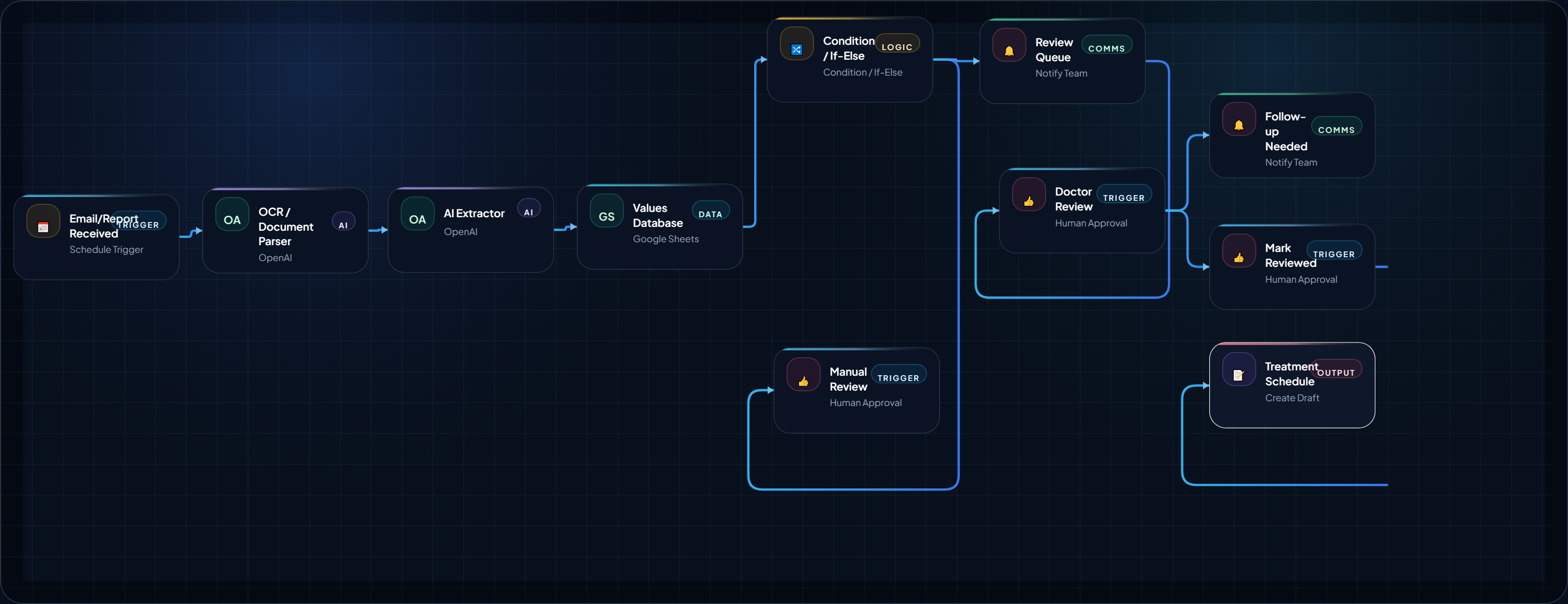
How to Build a Medical Lab Report Follow-Up AI Agent
This AI Agent is extremely useful for small scale hospitals and clinics. Analyze the medical report and organize it into a structured review ,...
August 18, 2026
Open BlueprintRelated Analysis & Signals
Editorial context that expands the strategy around this blueprint.
Workflow Closing Placement
Placeholder framework only. This reserved block can be swapped to live AdSense markup later.
Reserved before the final next-step CTA so the lower page can support monetization without breaking the main implementation flow.
What This Blueprint Proves / Next Step
You now have an execution-ready structure with logic, trust framing, and implementation scaffolding. Next, choose where to expand.